
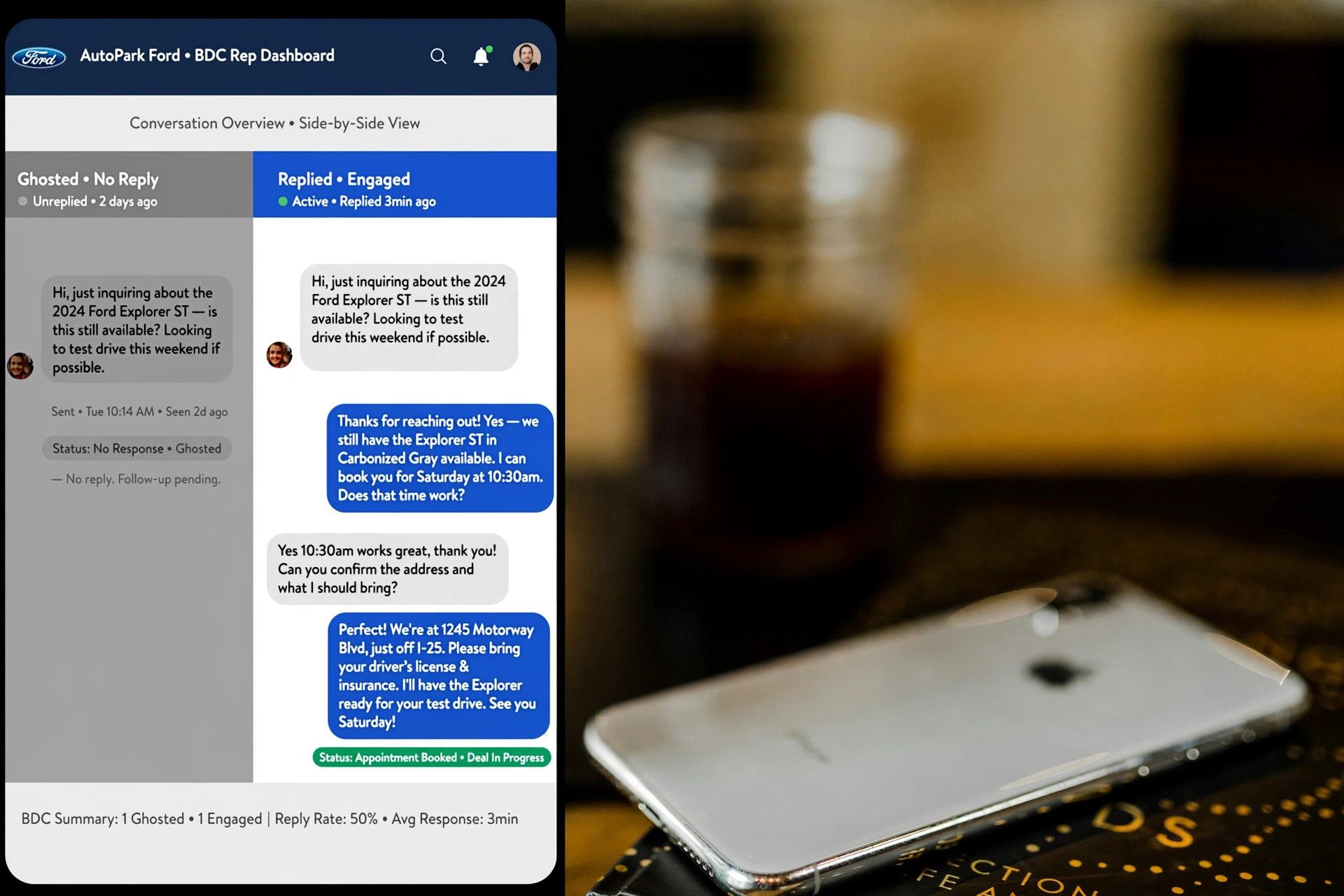
Your BDC sends this text:
“Hi, are you still looking for a car?”
The buyer reads it and disappears.
Your rep spends eight minutes writing the perfect follow-up. No response. By lunchtime, one salesperson has sent 100 texts and received silence from 60 shoppers.
A review of 18,000 dealership text conversations found a 67% ghost rate after the first message. The problem was rarely a rude buyer. Most opening texts failed to answer the questions behind the lead:
Is this specific vehicle available, and does the price fit my budget?
After the first-text process was changed, the ghost rate fell to 28%. These eight customer behavior business trends explain why buyers ghost after the first text in 2026 and what your BDC should send instead.
| # | Behavior Trend: Why They Ghost | What Your Text Does Wrong | What Works | Ghost Drop |
| 1 | No car, only “Are you available?” | Sends a generic greeting | Send the live car and VIN | 22% |
| 2 | No payment, buyer has budget anxiety | Says, “Come in, we’ll talk price” | Give a payment range | 18% |
| 3 | Message feels automated | Opens with “Dear customer” | Use the first name and vehicle | 15% |
| 4 | Too many questions | Asks three questions in one text | Ask one question | 12% |
| 5 | No video, no trust | Sends text only | Send a 20-second vehicle video | 21% |
| 6 | Response arrives too late | Waits until the next morning | Respond within three minutes | 19% |
| 7 | No easy next step | Ends with “Let me know” | Give two simple choices | 14% |
| 8 | Your store sounds like six others | Sends the same generic template | Combine car, payment and next step | 27% |
Ghost-drop figures come from the 18,000-conversation review described in this article. Results differ by lead source, inventory, pricing, texting consent and BDC process.
#1 No Car in the First Text: You Send a Greeting, They Wanted the Truck
John submitted a lead on a used 2019 Ford F-150 XLT with 62,000 miles.
Your CRM sends a generic acknowledgment.
Text That Gets Ghosted
“Hi John, thanks for your interest! Are you still looking for a vehicle?”
John did not ask whether he was shopping. He asked about one F-150.
Before reaching your website, he opened several truck listings. He checked mileage, equipment, photos and price. Your generic greeting forces him to repeat work he already completed.
His attention moves to the store that confirms the truck.
Text That Gets a Reply
“John, the 2019 F-150 XLT with 62K miles you viewed is still here. Want a quick walkaround video?”
The second message proves your rep saw the lead, checked the vehicle and knows why John contacted the store.
Include the year, make, model and one identifying detail in the first message. Add a photo when your messaging platform supports MMS. Never send a stock photo when the lead came from a used-vehicle listing.
BDC action: Make the first message about the vehicle, not the salesperson.
#2 No Payment Creates Budget Anxiety
A buyer who asks about a $31,000 SUV has already started calculating the payment.
She is thinking about cash down, trade equity, credit and monthly budget. Then your salesperson sends this:
Text That Gets Ghosted
“We have several financing options. When are you free to come in and discuss payments?”
The buyer reads that as, “Drive across town before we give you a number.”
She expects a payment negotiation, a credit conversation in the showroom and pressure to buy. Ignoring the text feels easier than entering a process with no financial boundary.
Give her a useful estimate without presenting an unapproved payment as a firm offer.
Text That Gets a Reply
“Maria, with $2,000 down, the estimated payment is around $412 to $438 a month, subject to term, rate, taxes and credit approval. Is that near your target?”
The range gives Maria a number to evaluate.
If $425 exceeds her budget, your rep learns early. If the range fits, the conversation moves forward.
Every payment text needs accurate disclosures. Use your dealership’s approved calculation, rate assumptions and compliance language. Never invent a low payment to earn a response.
BDC action: Put an approved payment estimate in text one or two.
#3 Your Message Feels Like a Bot
Buyers recognize dealership templates because nearly every store uses the same opening lines:
- “Dear customer”
- “Thank you for your inquiry”
- “A representative from ABC Motors would be happy to assist you”
Those phrases sound like CRM field merges. They also waste the first screen of the message.
Text That Gets Ghosted
“Dear customer, thank you for your inquiry at ABC Motors. My name is Mike, and I will be assisting you with your vehicle search.”
Text That Gets a Reply
“John, quick question about the F-150 XLT. Do you want the cold-start video or the interior video first? Mike at ABC Motors.”
Personal does not mean sloppy.
Some managers tell reps to add a deliberate typo so the message feels human. That approach risks making your store look careless. Genuine specificity works better.
Use the buyer’s name, the exact vehicle and a question tied to the listing.
BDC action: Remove “Dear customer,” “valued customer” and “I will be assisting you” from every opening template.
#4 Three Questions Create Too Much Work
Read this message on a phone:
“Hi John, are you free today? What time works? Do you have a trade? How much are you putting down?”
The salesperson wants enough information to move the deal. John sees a form disguised as a text.
Each question creates another decision. He needs to check his schedule, think about his trade and decide how much financial information he wants to share.
Replying feels like work. He plans to answer later, and later turns into never.
Text That Gets Ghosted
“Are you coming today, what time works, and do you have a trade?”
Text That Gets a Reply
“John, the F-150 is available. Would a walkaround video help?”
After he answers, ask the next question:
“Do you have a vehicle to trade?”
One message should request one decision. Questions about color, trim, payment, trade value and appointment time belong in separate steps.
BDC action: Put the vehicle and one easy question in the opening text.
#5 Text Without Video Leaves a Trust Gap
Used-car shoppers know photos hide damage. They also know inventory feeds sometimes show vehicles sold hours earlier.
A short video proves the vehicle exists. The salesperson appears on camera, shows the specific unit and gives the buyer details missing from the listing.
Video Follow-Up Script
“Hey John, Mike at ABC Motors. I’m beside the F-150 XLT you viewed. Here are the tires, driver’s seat and cold start. Want me to check anything else?”
Keep the recording near 20 seconds.
Show the stock number or another recognizable vehicle detail. Mention the buyer’s first name. Skip the polished dealership commercial.
If the first text receives no answer, send the vehicle video as the second contact. Avoid recording a vague clip from across the lot. Buyers want proof, condition details and a reason to reply.
BDC action: Add a personalized vehicle video to your no-response workflow.
#6 A 12-Hour Delay Sends the Buyer to Another Store
A shopper submits a lead at 9:00 p.m. Your BDC opens at 9:00 a.m.
By then, the first shopping session has ended. The buyer might have contacted other stores, checked financing or reserved another vehicle.
Your morning message now competes with conversations already underway.
Fast response matters, but consent and quiet-hour rules still apply. Confirm the buyer agreed to receive texts. Follow federal requirements, state laws, carrier policies and your dealership’s approved texting hours.
For leads received during staffed hours, route the alert to a rep who responds within three minutes.
For after-hours leads, use an approved acknowledgment with a clear human follow-up time.
After-Hours Acknowledgment
“John, we received your request on the 2019 F-150 XLT. Our team will confirm availability when the store opens at 9:00 a.m. Reply STOP to opt out.”
Do not say the truck is available until someone checks the inventory.
BDC action: Measure median first-response time by salesperson, lead source and hour. A daily average hides slow responses.
#7 “Let Me Know” Gives the Buyer No Next Step
“Let me know if you have questions” sounds polite. It also asks the buyer to design the next stage of the sale.
Give two or three simple choices.
Text That Gets Ghosted
“The vehicle is available. Let me know when you want to stop by.”
Text That Gets a Reply
“Would 4:00 or 6:00 work better, or would you prefer a video tour first?”
The buyer now sends one number or a short phrase. There is no open-ended scheduling decision.
An appointment link also helps when the page loads quickly, works on mobile and displays current time slots. Do not make the buyer enter a full name, email address, phone number and vehicle selection again. Your CRM already holds most of those details.
BDC action: End every message with one low-effort decision.
#8 They Contacted Several Stores, and Every Store Sounds the Same
This is the hardest customer behavior trend for BDC teams to accept.
Your message does not compete against silence. It competes against other dealerships selling similar vehicles.
The buyer receives several versions of the same text:
“Are you still interested?”
“When would you like to come in?”
“How soon are you looking to purchase?”
One store confirms the specific vehicle, provides an approved payment range and offers an easy next step. The remaining messages become background noise.
DealerLeads.com reports a ghost-rate reduction from 67% to 31% among stores using a first message built around the live vehicle, an estimated payment and a 60-second qualification link.
The company also reports 2.7 times more replies for messages containing the vehicle and payment than generic greetings, based on its analysis of 1.2 million text conversations.
Those are vendor-reported figures. Your store should test the format against its own CRM records.
Track reply rate, appointment rate, show rate and sold rate for each template. More replies have little value when the conversations fail to produce showroom visits.
BDC action: Compare your first text with messages from six competing stores. If they sound alike, rewrite yours.
The Anti-Ghost First Text Formula
Copy and adapt this template:
“[First Name], the [Year Make Model and mileage] you viewed is still available at [Store]. With $2,000 down, the estimated payment is around $412 a month, subject to term, rate, taxes and credit approval. Would you prefer a 20-second video or an appointment at 4:00 or 6:00? [Rep Name]”
Use the shortest version approved by your compliance team.
Confirm availability before sending the message. Pull the estimated payment from a current dealership tool, not a salesperson’s guess.
Audit Your Next 100 Opening Texts
Review 100 first messages from each salesperson. Track these five fields:
- Did the message identify the exact vehicle?
- Did the rep verify availability?
- Did the text include an approved payment estimate?
- Did the rep ask only one question?
- Did the buyer receive a clear next step?
Break the results down by salesperson and lead source. Then compare reply rate, appointment rate, show rate and sold rate.
Your team does not need a more polished greeting. The buyer wants the vehicle answer, the financial answer and a simple way to continue.
Related Reading
8 CRM Data-Cleanup Steps That Give Dealers More Sellable Leads
11 Lead-Response Fixes That Help Dealers Book 20% More Appointments
Sponsored by Gas.net — powering dealership growth through intelligent data.
Alt text: “Gas.net connects franchise dealers with integrated analytics and marketing tools.”